

Photora
Your photo library, kept on your machine.
Browse, search, and organize years of photos locally — with AI albums, people, and duplicate cleanup that never need a cloud upload.

Local first
Your folder. Your machine. Your rules.
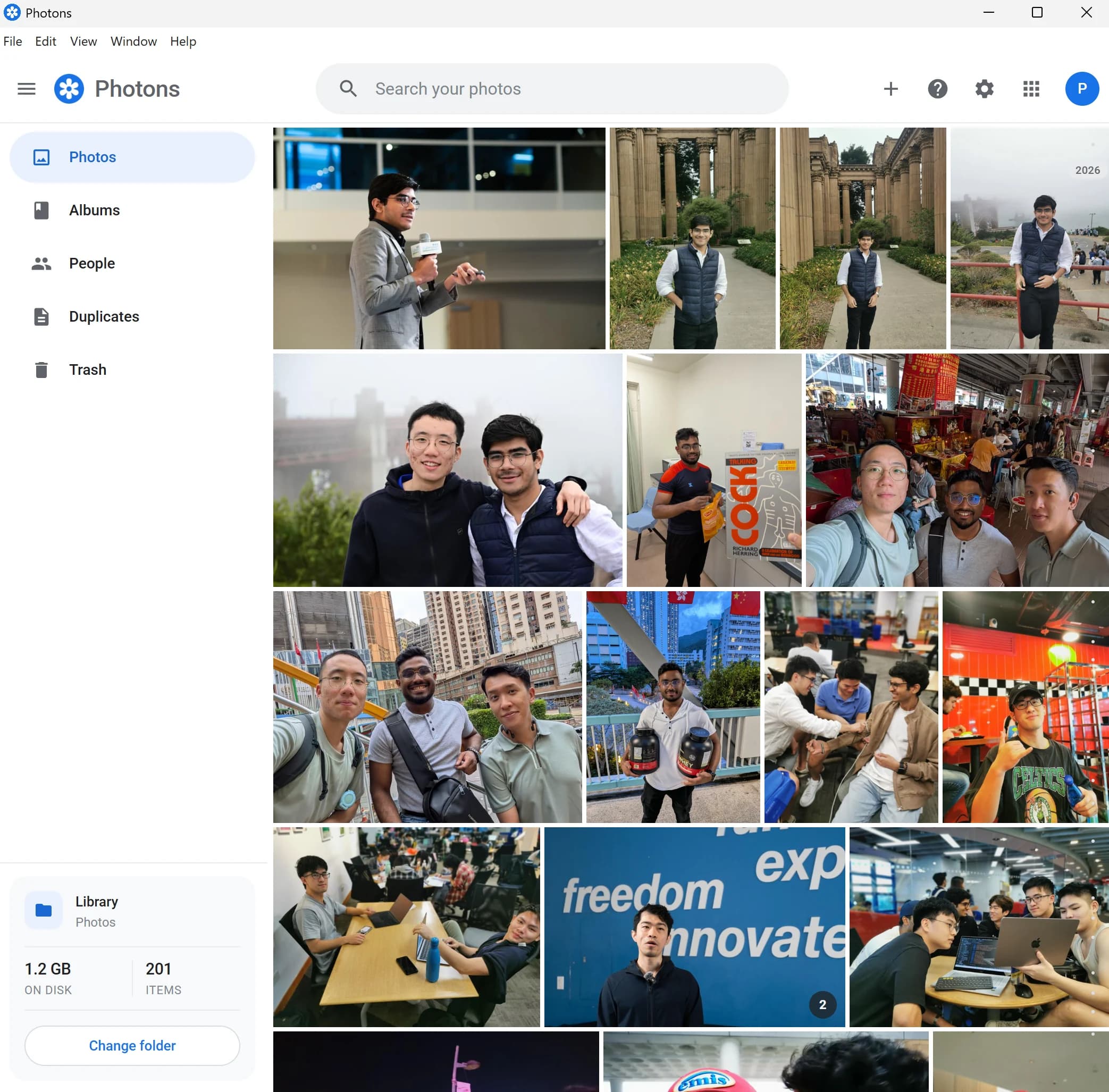
Point Photora at a library on disk. Thumbnails, search, and AI work stay local — so your photos remain files you already own, not assets rented from a cloud.
Albums
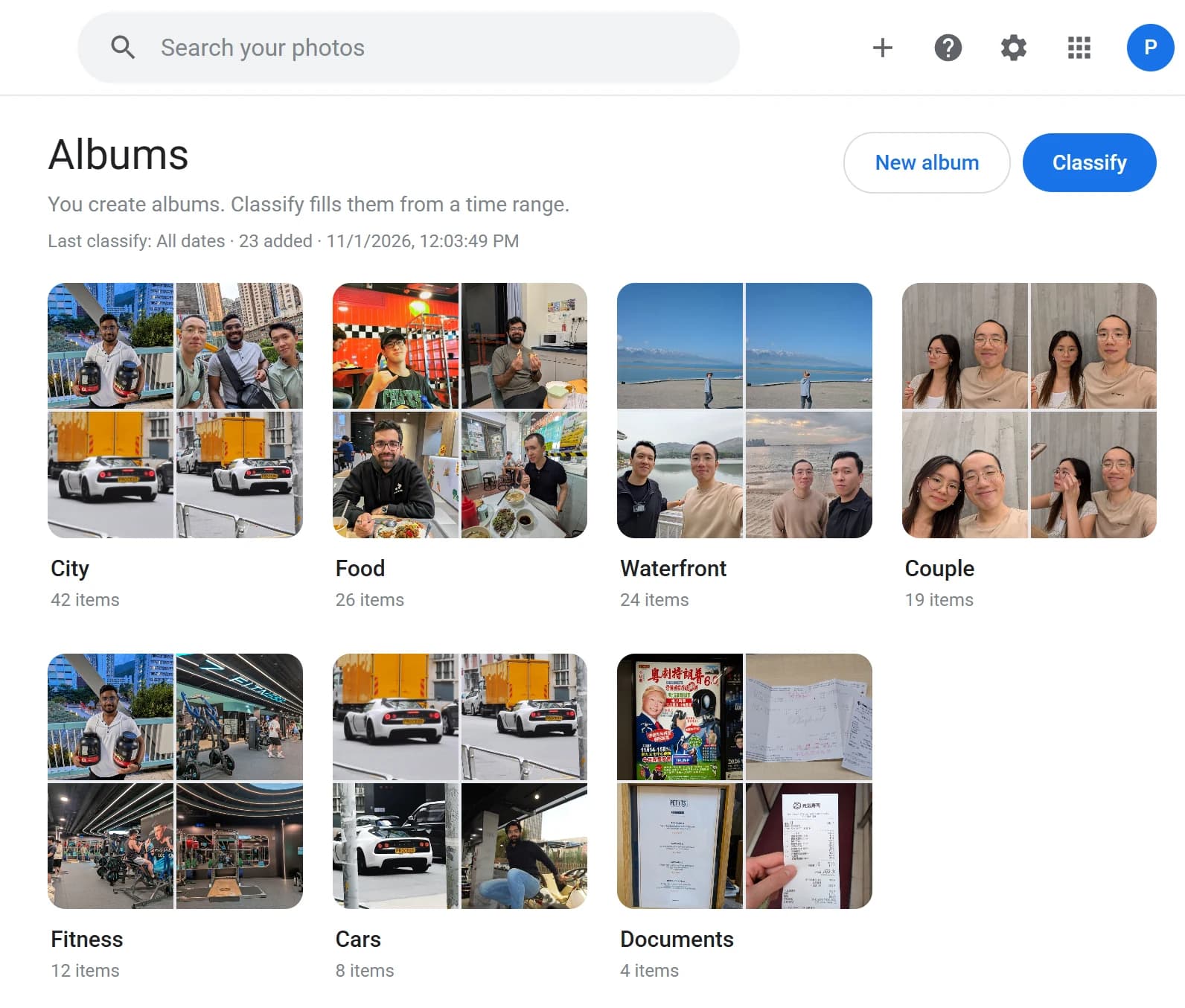
Collections that classify themselves.
Run classification over a date range and watch albums fill with scenes that belong together — coast evenings, kitchen light, city walks — without dragging files by hand.
Sort
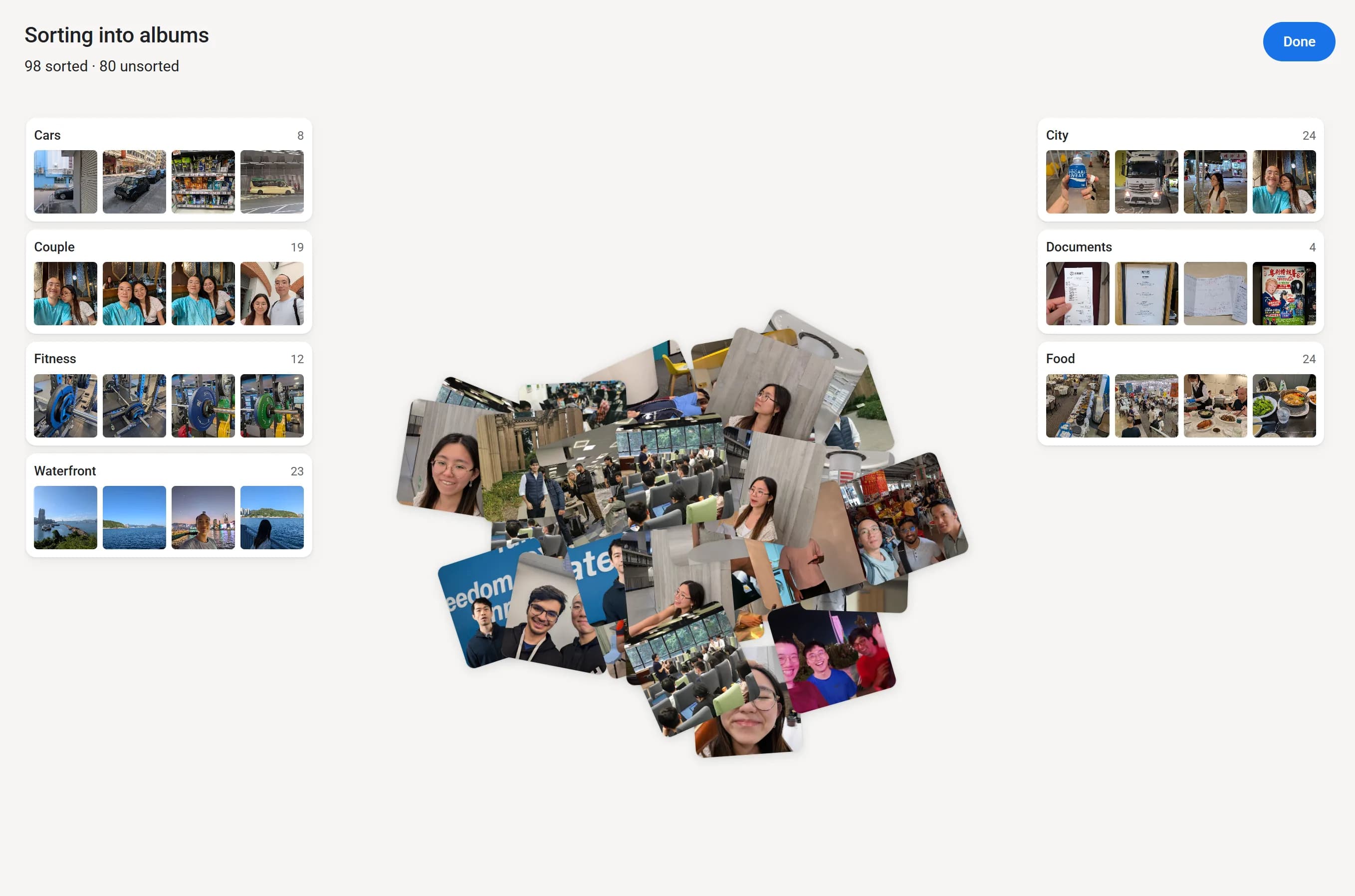
Watch the pile find its albums.
Photora sorts photos into albums on your machine — a living stack that lands in Cars, Food, Waterfront, and the rest — so you can review the result without uploading a single frame.
People
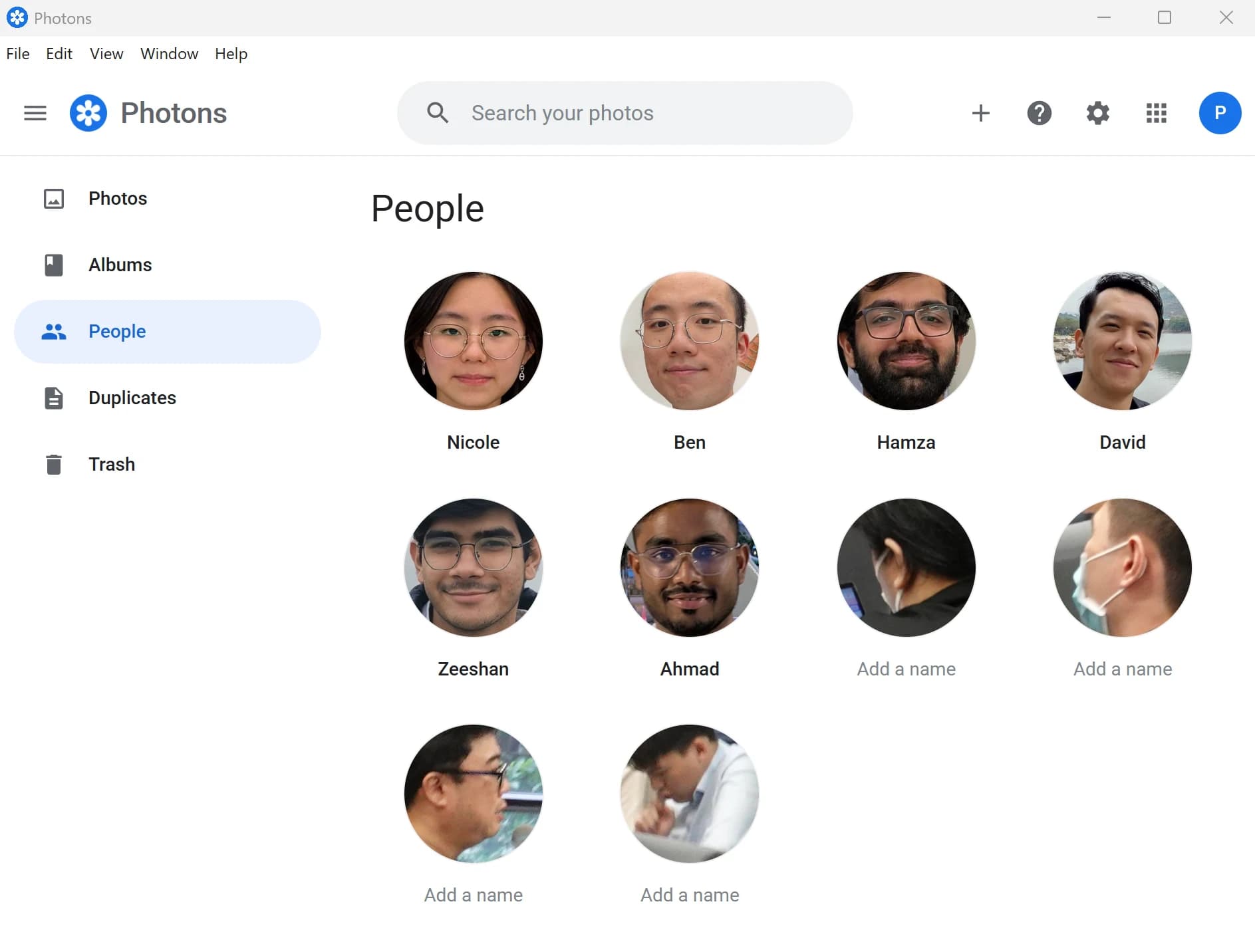
Faces, grouped with the people you know.
Photora clusters faces on-device so you can name the people who matter and jump straight to their moments — without shipping portraits to someone else’s servers.
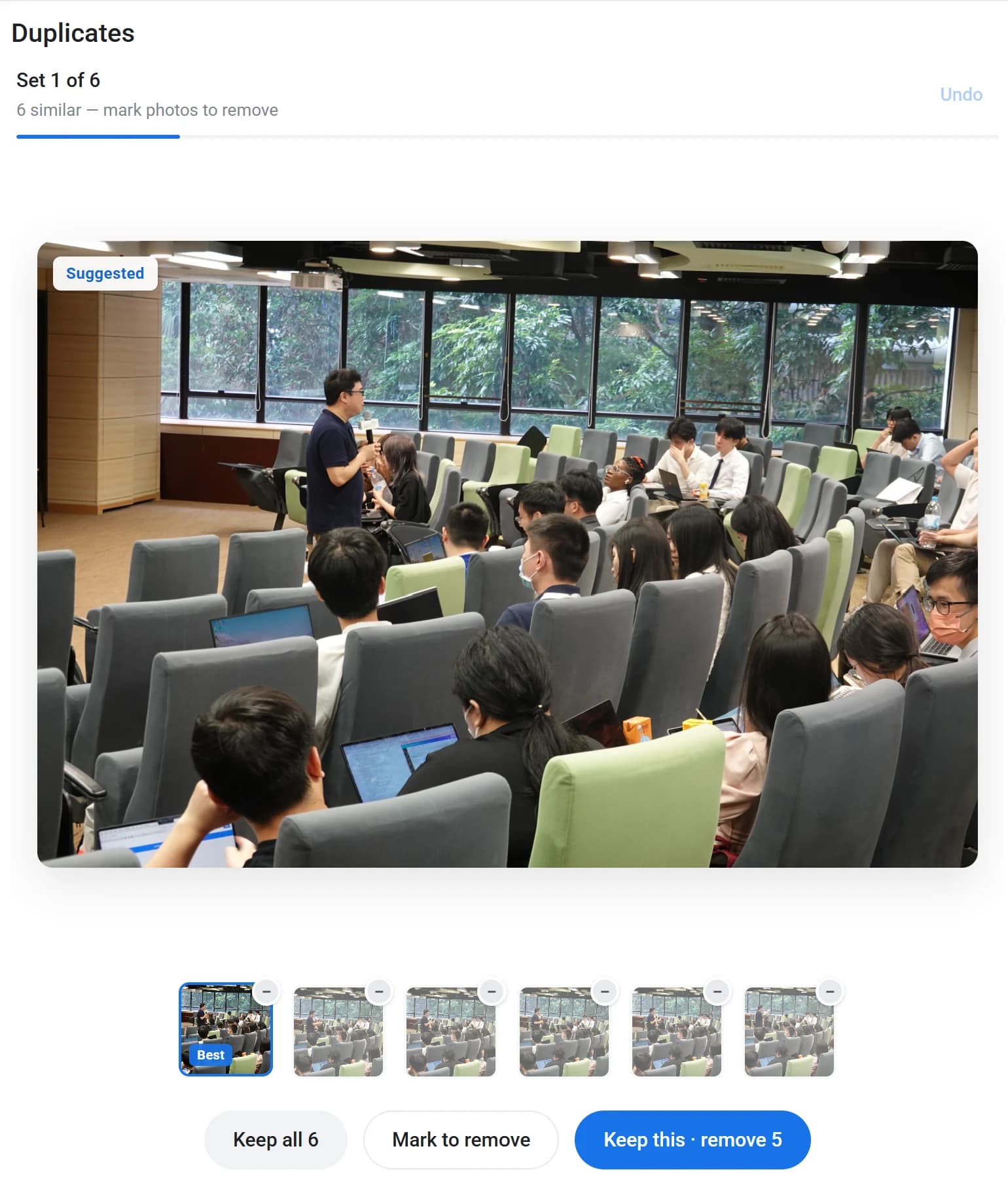
Duplicates
Clear the near-copies. Keep the keepers.
Burst shots and re-exports pile up. Photora finds duplicates and similar frames so you can reclaim space and leave a cleaner library behind.
Download
Install Photora and open the folder you already have.
Free desktop app for Windows and macOS. Choose your platform — release binaries will land here as builds ship.